Create your first API token
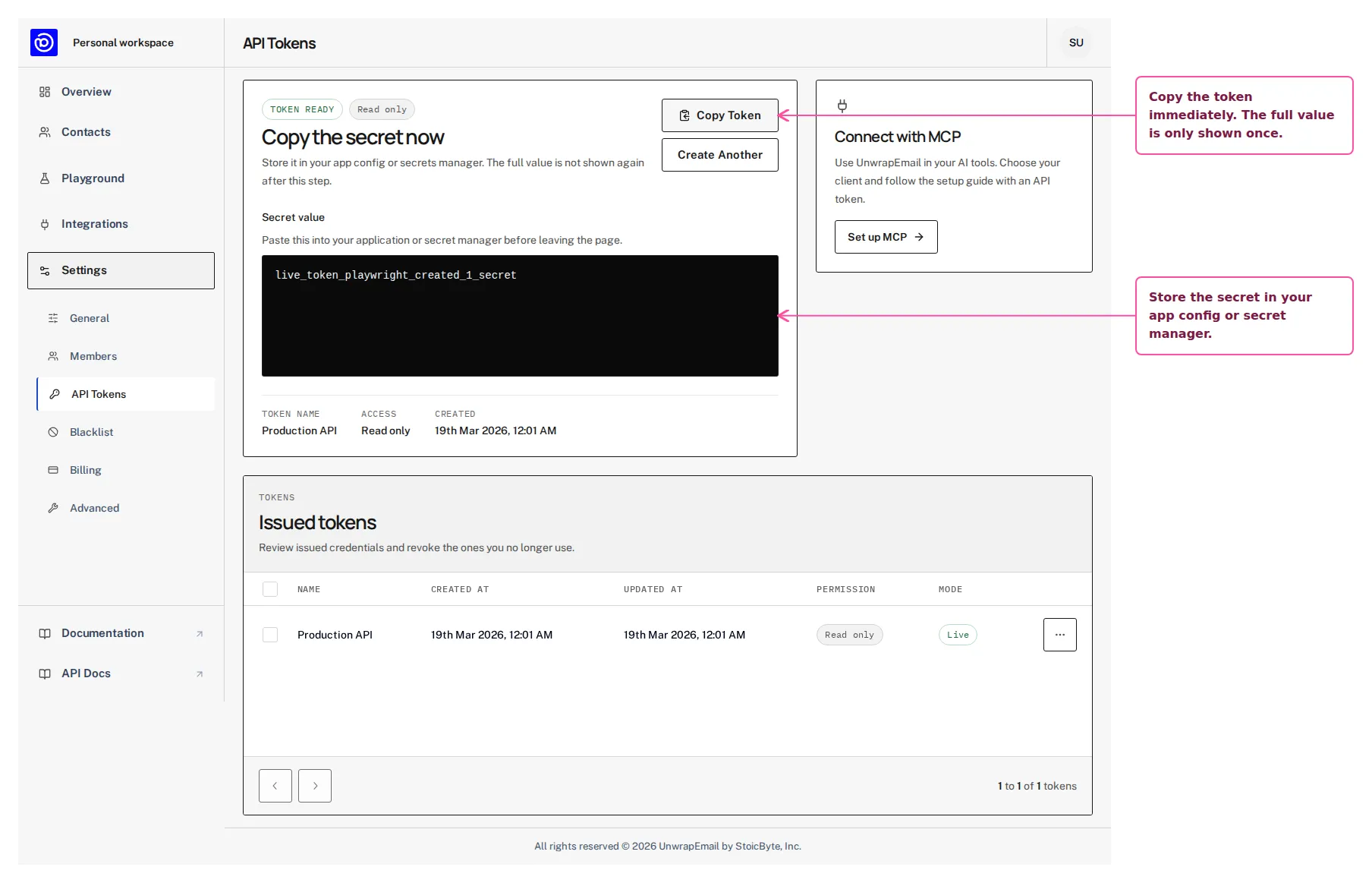
As a workspace owner or admin, open Settings → API Tokens in the workspace your integration will use. Create one token per app or environment so you can rotate access cleanly. Copy the secret immediately because the full value is only shown once.
Use the screen below as the reference point while you work through this step in the dashboard.
Step By Step
Section titled “Step By Step”- Give the token a clear name for the app or environment that will use it.
- Keep the default read access unless the integration needs write operations.
- Copy the generated secret into your app config or secrets manager before leaving the page.
Why This Step Matters
Section titled “Why This Step Matters”A token belongs to the workspace where it was created. Dashboard switching does not change its scope, and it remains available to the workspace when its creator leaves. See Workspaces before connecting multiple projects.